How Much RAM Do You Need for Gaming in 2026?
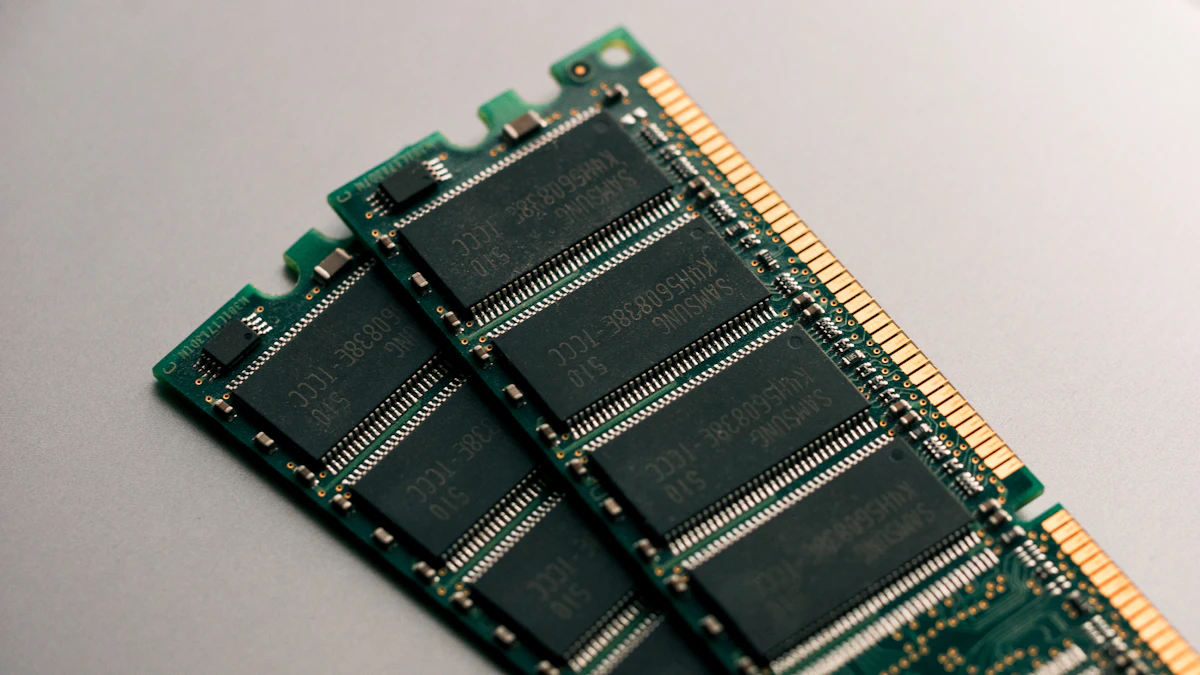
RAM Requirements for Gaming in 2026
RAM requirements for gaming have increased significantly in 2026. Games released in 2024 and 2025 routinely use 12–14GB of RAM during gameplay — leaving very little headroom on 16GB systems when Windows and background processes are considered. The era of 8GB being sufficient for gaming ended around 2023.
However, more RAM does not directly increase FPS unless your system is currently running out of it. RAM acts as a buffer — once you have enough, adding more does nothing for gaming performance. The priority is: have enough RAM, then have fast RAM (via XMP/EXPO), then consider more RAM.
- 8GB RAM: Insufficient for modern gaming in 2026 — causes stutters and paging in AAA titles.
- 16GB RAM: The current sweet spot — sufficient for most games without streaming or heavy multitasking.
- 32GB RAM: Recommended for streaming + gaming, content creation, and future-proofing.
- 64GB RAM: Only needed for professional workloads — irrelevant for pure gaming.
RAM capacity affects how much your system can load at once. RAM speed (MHz) affects how fast your CPU can access that data. Both matter — but capacity is the priority if you are below 16GB.
Is 8GB RAM Still Enough for Gaming in 2026?
No — 8GB RAM is no longer sufficient for gaming in 2026. Modern AAA titles regularly use 10–14GB of system RAM during gameplay. When Windows 11 itself uses 3–4GB at idle, an 8GB gaming PC has only 4–5GB available for the game. This causes the system to page data to your SSD — which is thousands of times slower than RAM — resulting in severe stutters.
Games that exceed 8GB RAM include: Starfield (~12GB), Hogwarts Legacy (~14GB), Alan Wake 2 (~16GB at ultra), and Microsoft Flight Simulator (~12GB). Even Cyberpunk 2077 at 1080p high uses approximately 11GB of system RAM. If you are on 8GB, upgrading to 16GB will eliminate stutters immediately.
- Starfield: ~12GB RAM usage at medium settings.
- Alan Wake 2: ~14–16GB RAM at high settings.
- Hogwarts Legacy: ~12GB RAM at high settings.
- Cyberpunk 2077: ~11GB RAM at 1080p high settings.
- Upgrading from 8GB → 16GB eliminates stutters in all modern titles.
- This is the single highest-impact upgrade for 8GB systems — even higher than a GPU upgrade in some cases.
Why 16GB Is the Gaming Sweet Spot in 2026
16GB RAM is sufficient for the vast majority of gamers in 2026. With Windows 11 using 3–4GB at idle, 16GB leaves 12–13GB available for games — enough for every major title except the most extreme open-world games at ultra settings. 16GB covers 95% of gaming scenarios without paying the premium for 32GB.
For a gaming-only PC where you close all other applications before playing, 16GB is sufficient through 2026 and likely 2027. If you keep Chrome open with multiple tabs, Discord, and Spotify running while gaming, 16GB begins to feel tight in the heaviest AAA titles.
- 16GB covers all games in 2026 for gaming-only use.
- Run two 8GB sticks in dual-channel — single-channel 16GB is noticeably slower.
- Enable XMP/EXPO in BIOS to run at rated speed (3200MHz DDR4 or 5600MHz DDR5).
- Dual-channel mode can improve CPU-limited gaming FPS by 8–12%.
- For most builds with RTX 4060–4070 tier GPUs, 16GB 3200MHz DDR4 is perfectly adequate.
Always run RAM in dual-channel mode — two sticks of 8GB is significantly faster than one stick of 16GB. Check your motherboard manual for the correct slot configuration (usually slots 2 and 4).
When You Actually Need 32GB of RAM
You need 32GB RAM if you stream, create content, run virtual machines, or play games while keeping many applications open. Streaming with OBS while gaming can use an additional 2–4GB RAM on top of your game and Windows usage. Content creation applications like Premiere Pro, DaVinci Resolve, and Photoshop each use 4–8GB during active editing.
32GB is also the right choice for future-proofing beyond 2026. Games are increasing RAM demands yearly — Alan Wake 2 already recommends 16GB and can use 16GB+ at ultra settings. By 2027–2028, 32GB may be the new minimum for high-end gaming.
- Streaming + gaming simultaneously: 32GB recommended to prevent stutter.
- Content creation (video editing, 3D rendering): 32GB minimum.
- Running virtual machines alongside games: 32GB essential.
- Playing at 4K ultra with multiple apps open: 32GB provides comfortable headroom.
- If your budget allows, 32GB is a smart long-term investment for a new build in 2026.
- Use our build recommender for full system recommendations including RAM.
Does RAM Speed (MHz) Affect Gaming FPS?
Yes — but only if you enable XMP or EXPO in your BIOS. RAM ships at its base JEDEC speed (typically 2133MHz or 2400MHz DDR4, 4800MHz DDR5), which is well below its rated speed. Without enabling XMP/EXPO, a 3600MHz DDR4 kit runs at 2133MHz — nearly half its rated speed.
Enabling XMP/EXPO in your motherboard BIOS unlocks the rated speed and takes 2 minutes. The FPS improvement in CPU-limited scenarios (1080p gaming, competitive titles) ranges from 5–15%. In GPU-limited scenarios (4K), RAM speed has no measurable effect on FPS.
- DDR4 sweet spot for gaming: 3200MHz – 3600MHz with tight timings.
- DDR5 sweet spot for gaming: 5600MHz – 6000MHz.
- Always enable XMP (Intel) or EXPO (AMD) in BIOS — it is free and safe.
- Faster RAM helps most in: CS2, Valorant, Fortnite, Minecraft Java — CPU-heavy games.
- Faster RAM has minimal effect on: 4K gaming, GPU-limited scenarios.
- Check our bottleneck calculator — RAM speed is factored into CPU performance scoring.
DDR4 vs DDR5 for Gaming in 2026
DDR5 is now mainstream in 2026, available with Intel 12th gen and above (Alder Lake, Raptor Lake) and AMD AM5 (Ryzen 7000 series). The gaming performance difference between DDR4 and DDR5 is real but modest — typically 3–8% higher FPS in CPU-limited scenarios when comparing DDR4 3600MHz to DDR5 5600MHz.
For a new build in 2026, go DDR5 if your platform supports it. The price premium over DDR4 has shrunk significantly in 2025–2026. For an existing DDR4 system, do not upgrade the platform just for DDR5 — the gaming benefit does not justify the cost of a new motherboard and CPU.
- New build on AMD AM5 (Ryzen 7000): DDR5 is required — no DDR4 option.
- New build on Intel LGA1700 (12th/13th gen): DDR4 or DDR5 depending on motherboard.
- DDR5 gaming advantage: 3–8% FPS in CPU-limited games.
- Recommended DDR5 speed: 5600MHz or 6000MHz with XMP/EXPO enabled.
- Recommended DDR4 speed: 3200MHz or 3600MHz with XMP enabled.
- Do not switch platforms just for DDR5 — the gaming gain is marginal.
Conclusion
Ready to Check Your System?
Use our free tools to put this guide into action — instant results, no sign-up.